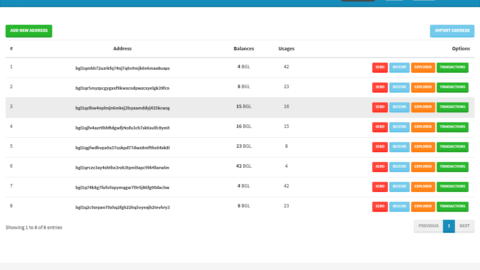
ElphaPexTool installation and usage instructions for Windows. Search for ASICs on the network, configure pools, update firmware, and manage ElphaPex miners.
ElphaPexTool — ElphaPex ASIC Centralized Management Tool
ElphaPexTool is the official utility for detecting, configuring, and monitoring ElphaPex ASIC miners on a local network. Designed for owners of multiple devices, the program allows for centralized operations that would otherwise have to be performed manually on each miner via the web interface.
The solution is primarily designed for Windows. Linux and macOS are not officially supported.
Purpose and Key Features
ElphaPexTool is used for:
- Automatic scanning of local network and ASIC detection;
- mass customization of mining pools and parameters;
- remote reboot of devices;
- changing passwords and basic network configuration;
- batch firmware update;
- hashrate and temperature monitoring.
Its functionality is comparable to management utilities from other ASIC manufacturers, making it suitable for small and medium-sized mining farms.
Downloading and preparing ElphaPexTool for use
Where to download
We recommend using only the official ElphaPex website, which is located in the support and downloads section. The utility is distributed as an archive and does not require installation.
Preparation
- Download the archive with the program.
- Unzip it into a separate folder.
- Make sure the ASICs are connected to the same local network as your Windows computer.
- Run the file
ElphapexTool.exe.
If a Windows SmartScreen warning appears, confirm the launch (if the file was obtained from an official resource).
Searching for devices on the network
Once launched, the utility automatically initiates a network scan. If this doesn’t happen:
- Please enter the IP address range of your subnet (e.g. 192.168.1.1–192.168.1.254).
- Click the Scan or Start button.
- Wait for the search to complete.
Discovered devices will appear in a table with their IP address and current status.
Setting up ElphaPexTool mining pools and parameters
There are two configuration methods:
Via the ASIC web interface
- Double-click on the device IP or open it in a browser.
- Log in (default root / root).
- Go to the mining configuration section.
- Specify the pool address, worker and password.
- Save the settings and reboot.
Via ElphaPexTool
- Select one or more devices from the list.
- Click the Config button.
- Enter pool parameters.
- Apply settings to selected or all devices.
- Perform a bulk reboot if necessary.
For farms with multiple ASICs, the second method saves significant time.
How to set up ElphaPex DG Home
1. Connect the power and connect the Ethernet cable.
2. Go to , hover your mouse over the “Support” tab at the top and click “Technical Support”.
3. Download ElphaPexTool.
4. Once the download is complete, extract the file, open the tool, and click “Scan” in the menu. This will scan for any ElphaPex DG Home 1 devices connected to the current network.

5. After scanning, double-click the IP address of the detected ElphaPex DG Home 1 to access its control panel.

6. Go to the “Miner Settings” section, enter the mining pool address and miner name, and click “Save.” Your ElphaPex DG Home 1 will now be fully operational.

Monitoring and management
ElphaPexTool displays:
- current hashrate;
- chip temperature;
- fan speed;
- device operating time.
Additionally available:
- mass password change;
- switching performance modes (if supported by the model);
- centralized reboot.
Regular monitoring allows for prompt detection of overheating or decreased efficiency.
Firmware update
To update firmware:
- Download the latest firmware from the official website.
- In the utility, go to the update section.
- Specify the path to the firmware file.
- Select devices.
- Start the update process.
Do not power off the miner during the update. Once complete, the devices will reboot automatically.
Use on Linux and macOS
There is no official version of ElphaPexTool for Linux and macOS.
Possible alternatives:
- launch via Wine (Linux);
- using a virtual machine with Windows;
- Manual IP search via network scanners (e.g. nmap) and configuration via web interface.
All basic functions are accessible via a browser, so the lack of a native version does not limit ASIC operation.
Safety recommendations
- Change the default password immediately after the initial setup.
- Restrict access to the local network.
- Check for firmware updates regularly.
- Monitor the temperature readings of your devices.
Conclusion
ElphaPexTool is a specialized tool for centralized management of ElphaPex ASIC miners. This utility is especially useful when operating multiple devices, allowing you to quickly perform bulk operations and monitor operating parameters.
For a single miner, the web interface is sufficient, but as the infrastructure scales, using ElphaPexTool becomes a practical necessity.
Read more:


 Firmware Awesome Miner for Antminer (Download Firmware ASIC)


 NVCleanstall v1.6.0 – Tool for custom installation of Nvidia drivers