A detailed guide to RED BIOS EDITOR RBE: where to download it, how to set it up, and how to use it to optimize AMD graphics cards. A breakdown of BIOS firmware, risks, security, tips for miners, and links to trusted sources.
🔥 RED BIOS EDITOR — fine-tuning AMD graphics cards without magic
Sometimes it seems like a graphics card is just a piece of hardware with fans. Just plug it in, start mining, and off you go, hashrate-wise. But the reality, as usual, is more interesting. Somewhere deep inside, beneath the aluminum heatsink and layers of thermal paste, lies the BIOS. And with it, potential.
And that’s where the RED BIOS EDITOR, or RBE, comes in. A tool that for some is practically a surgeon’s scalpel, and for others, a forbidden button labeled “do not press.”
Let’s get real. Without any unnecessary fluff. What is this program, where to download it, how to set it up, and—most importantly—is it even worth messing with the BIOS?
⚙️ What is RED BIOS EDITOR and why is it needed?
RED BIOS EDITOR is a specialized tool for editing the BIOS of AMD graphics cards. It allows you to change memory parameters, timings, voltages, frequencies, and other values that directly impact mining performance and, sometimes, gaming.
RBE is especially relevant for cards based on the Polaris, Navi, and some other AMD generations. Miners use it for:
- increasing the hashrate
- reducing energy consumption
- memory timing optimization
- stabilization of farm operations
Simply put, it’s a way to “reflash” the graphics card’s character. Make it more energy-efficient or more powerful. Or both, if you’re handy.
Websites like and regularly publish materials on fine-tuning GPUs for cryptocurrency mining, and RBE is featured as a key tool for advanced users.
💾 Where can I safely download RED BIOS EDITOR?
It’s important to take your time here. The internet is full of dubious archives, especially on forums and file-sharing sites.
It is recommended to download RBE:
- from the official developer repository
- from verified crypto resources
- via links mentioned on specialized mining sites
For example, crypto-mining.blog and periodically review mining tools and publish secure download links.
Before installation, please:
- check the file with an antivirus
- make sure that the source has not been substituted
- Make a backup copy of the video card BIOS
Yes, it’s boring. Yes, it seems redundant. But when the map turns into a brick, there’s no time for philosophy.
🛠 Preparing for work – what you need to do in advance
Before opening RBE and changing anything, you need to:
Create a dump of the original BIOS.
For this, use utilities like ATIFlash or amdvbflash.
Save the file in several places.
Preferably, on a flash drive too. Just in case.
Understand your graphics card’s architecture.
RBE isn’t universal for all AMD models. Compatibility should be checked in advance.
And one more thing—it’s important to understand that flashing the BIOS voids the warranty. Technically. Although many miners already know this (and still do it).
🚀 How to use RED BIOS EDITOR
Open the program. Load the saved BIOS file. The interface isn’t the most glamorous, to be honest. But it’s easy to understand.
The main tabs allow you to:
- edit memory timings
- change core and memory frequencies
- adjust voltages
- manage Power Limit
The most popular practice among miners is copying timings from a lower frequency to a higher one. This increases memory performance. This is especially important when mining Ethereum Classic or other memory-intensive algorithms.
But! And this is important. Any change should be tested gradually. Don’t change everything at once. Better to do it step by step.
After editing, save the new BIOS file. Then flash it back to the graphics card using amdvbflash. Reboot the system. Test stability.
If the system won’t start… Well, it happens. That’s why a backup isn’t a whim.
⚡ Mining Optimization – Real-World Scenarios
In practice, RBE is most often used for:
- reducing energy consumption by 10–20 percent
- increasing the hashrate by several megahashes
- stabilization of operation at undervoltage
According to analytical articles on cool-mining.org, proper BIOS settings can significantly reduce electricity costs—and in a high-energy environment, this can sometimes determine whether a mining rig will break even.
At the same time, it’s important to consider the current market situation. Cryptocurrency market volatility is a nerve-wracking thing. You might make a profit today, but you might lose it tomorrow. And BIOS firmware doesn’t guarantee a golden age.
🧠 Risks that people don’t like to talk about
Flashing the BIOS is a deep-level intervention. Potential consequences:
- loss of warranty
- system instability
- overheating due to incorrect settings
- complete inoperability of the video card
Sometimes everything goes perfectly. Sometimes it doesn’t. Honestly, a lot depends on the specific model and memory chips.
If in doubt, you might want to stick with software overclocking using MSI Afterburner. It’s less risky, though less radical.
🌍 RED BIOS EDITOR in the context of modern mining
Mining today isn’t what it was a couple of years ago. Algorithms change. Profitability fluctuates. Graphics cards get more expensive, then cheaper. The world of crypto is a roller coaster.
And yet, tools like RBE remain in demand because they allow you to get the most out of your equipment.
Many reviews on crypto-mining.blog emphasize that BIOS-level optimization is no longer for beginners. It’s a step toward a professional approach.
🤔 Is RBE worth using for a beginner?
This is a difficult question.
If you’re just starting out in mining, it might be best to first understand the basics: pool, wallet, drivers, and system stability.
But when you understand what exactly is limiting your productivity, then you can try it carefully.
No fanaticism. No “let’s do just a little bit more.” Because sometimes that “little bit” is the real deal.
🎯 The bottom line is that the tool is powerful, but it requires respect.
RED BIOS EDITOR is not a toy. And it’s not a magic “plus ten percent income” button.
This is a professional tool for fine-tuning AMD graphics cards. It can boost performance and reduce power consumption. It can. But it requires precision, an understanding of GPU architecture, and a willingness to take risks.
If you approach the matter with a cool head, backups, and patience, RBE will become a useful assistant.
If you act on emotions… Well, you get the idea.
The crypto industry doesn’t like rushing. It prefers attentive people.
🔗 Sources and useful links
Read more:

 ATIFlash & AMDVBFlash 3.31: Download AMD GPUs BIOS Editor for Windows/Linux.
 ATIFlash & AMD VBFlash 2.93: Download BIOS Flashing Tool for AMD GPUs
 PolarisBiosEditor 3 PRO: Modify AMD GPU BIOS (Download PBE Crack)
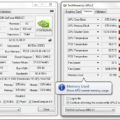 GPU-Z v2.32.0 (Download for Windows) – Utility for monitoring and diagnosing GPUs
  OverdriveNTool 0.2.7: Download and Configure AMD GPU Overclocking Software